> ## Documentation Index
> Fetch the complete documentation index at: https://bruno-a6972042-mintlify-066affab.mintlify.site/llms.txt
> Use this file to discover all available pages before exploring further.
# Document a Folder
To add Folder-level documentation in Bruno, you need to first create a folder within your collection. Once the folder is created, you can add specific details for the folder-level API documentation.
## Create Folder Docs
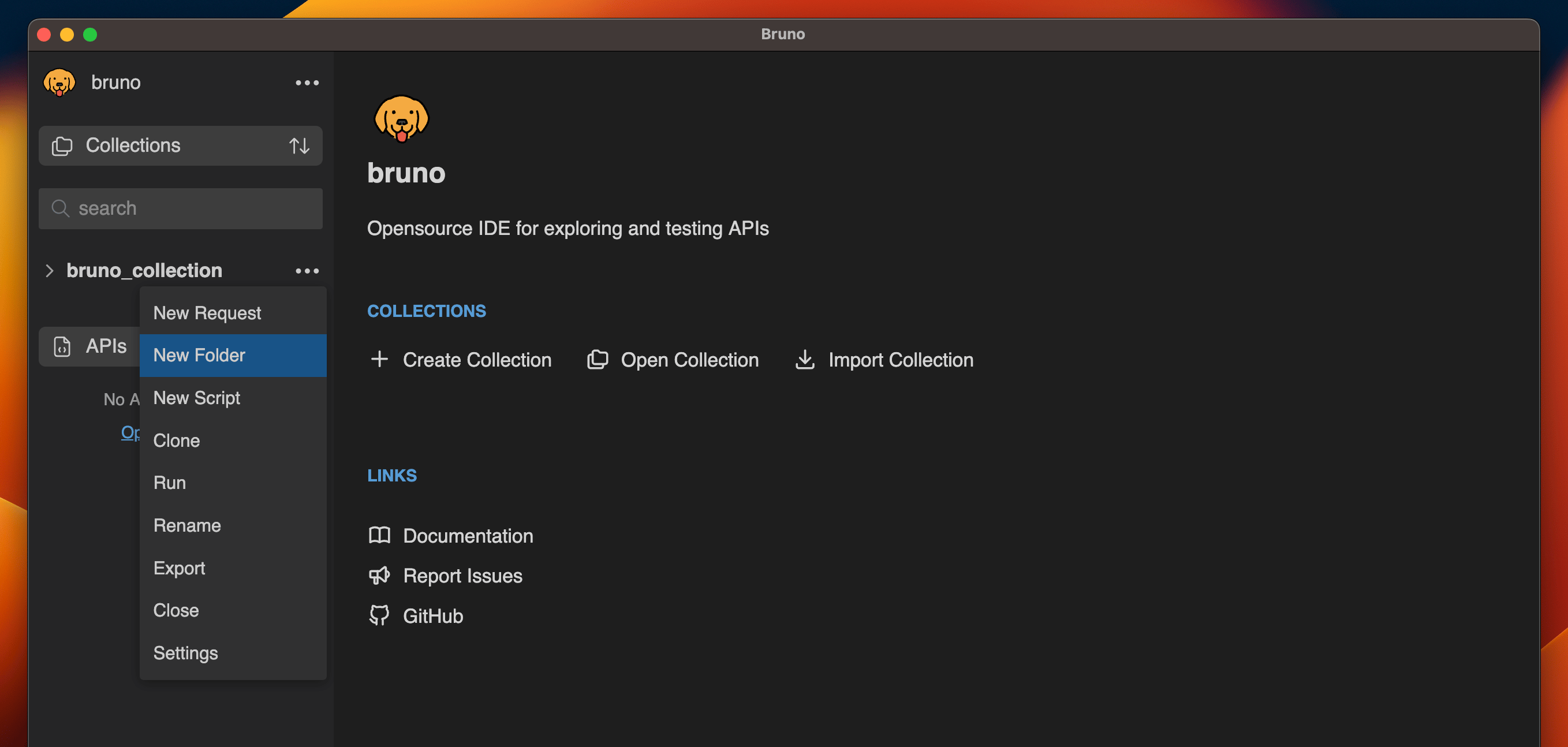
1. Go to the collection, click on the **More Options** menu, and select **Create Folder**.
 2. Enter a name for the folder and click the **Create button**.
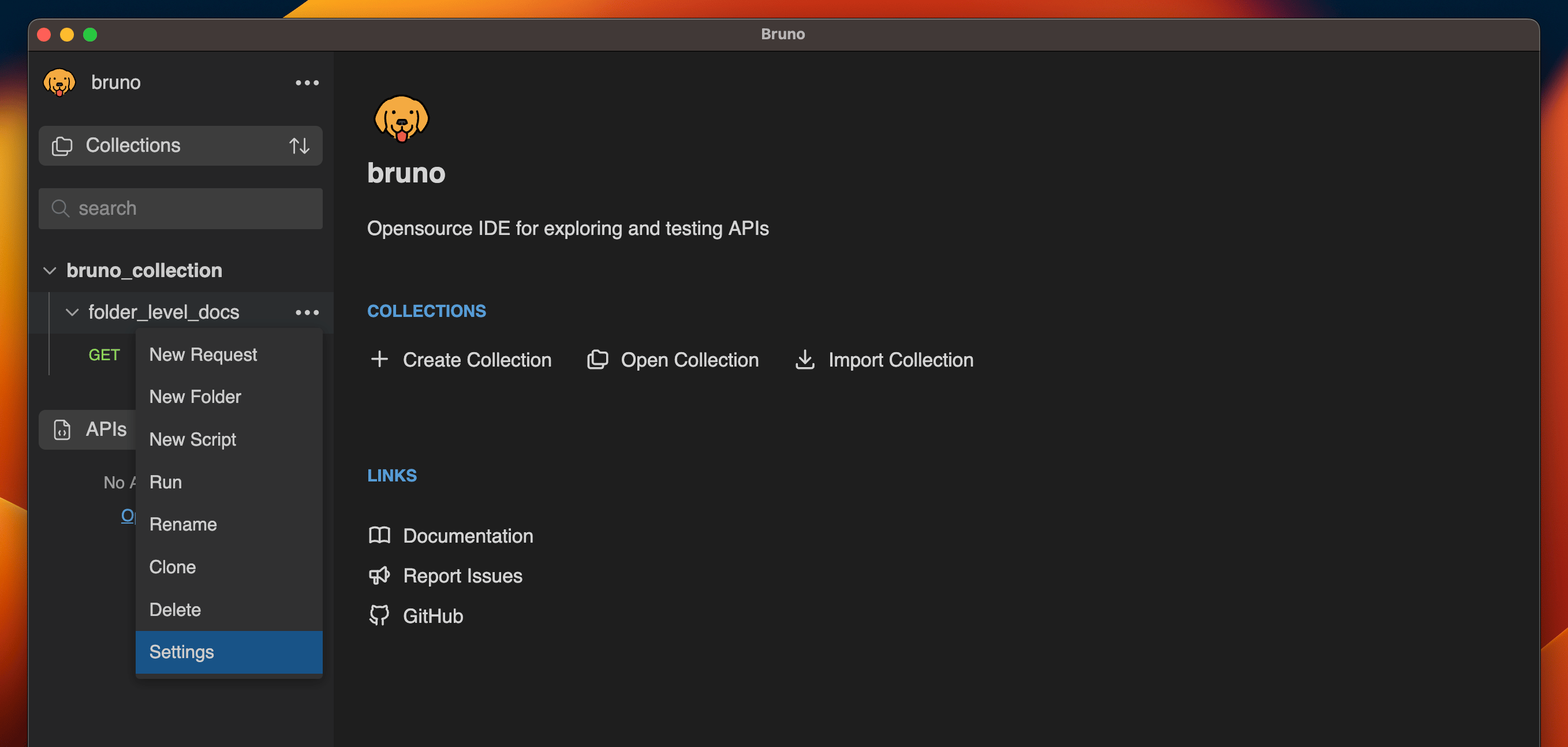
3. After creating the folder, navigate to the folder settings.
2. Enter a name for the folder and click the **Create button**.
3. After creating the folder, navigate to the folder settings.
 4. Go to the Docs tab.
5. Click the **Edit** button and add your folder-level API documentation.
6. Click the **Preview** button to view the formatted output.
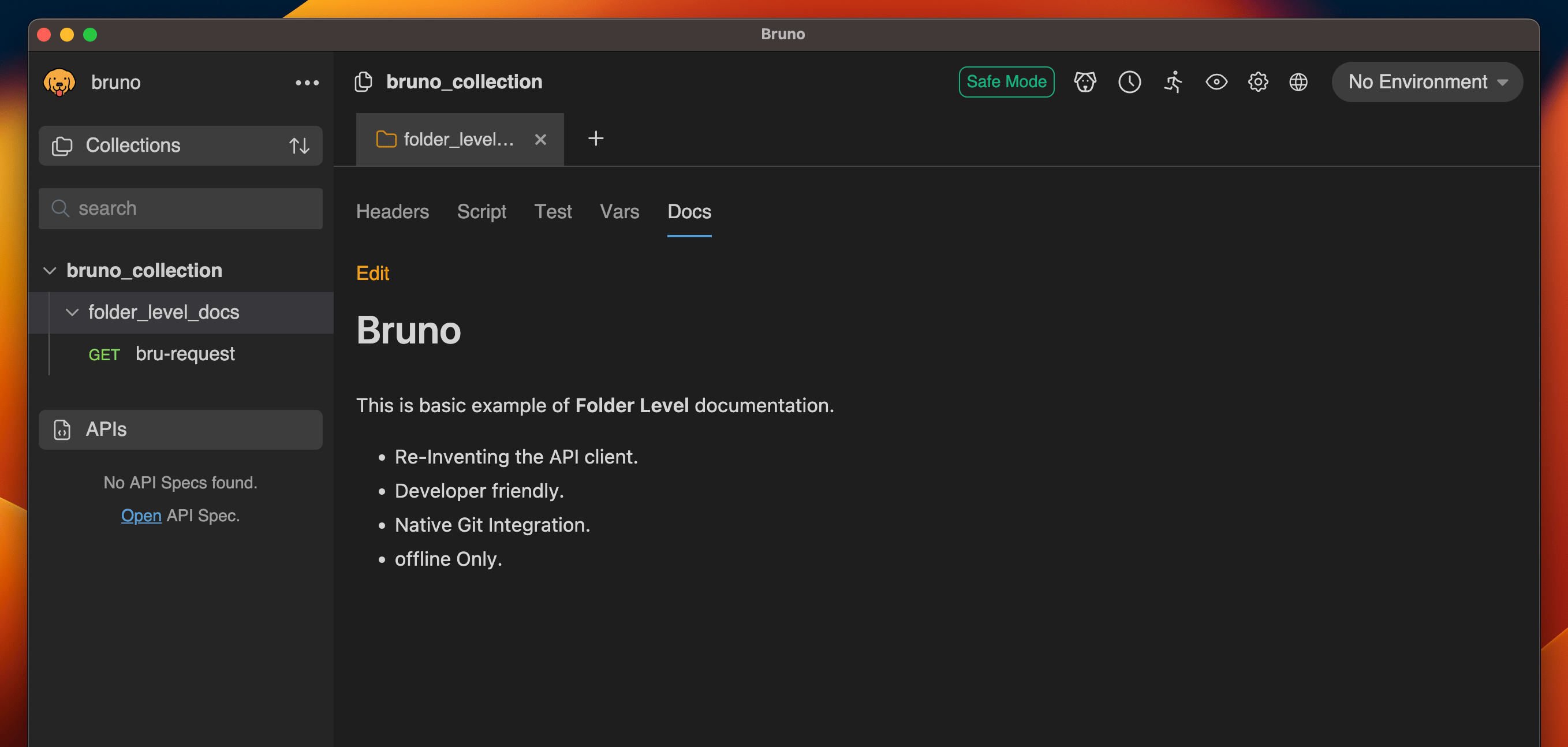
4. Go to the Docs tab.
5. Click the **Edit** button and add your folder-level API documentation.
6. Click the **Preview** button to view the formatted output.