> ## Documentation Index
> Fetch the complete documentation index at: https://bruno-a6972042-mintlify-066affab.mintlify.site/llms.txt
> Use this file to discover all available pages before exploring further.
# Vars tab
The **Vars** tab in Bruno allows you to manage variables at different stages of your request lifecycle. You can set and use variables:
* Before the request (Pre Request)
* After receiving the response (Post Response)
Variables are scoped within the request and cannot be accessed outside of it. This ensures clean separation between different requests.
## Pre Request Vars
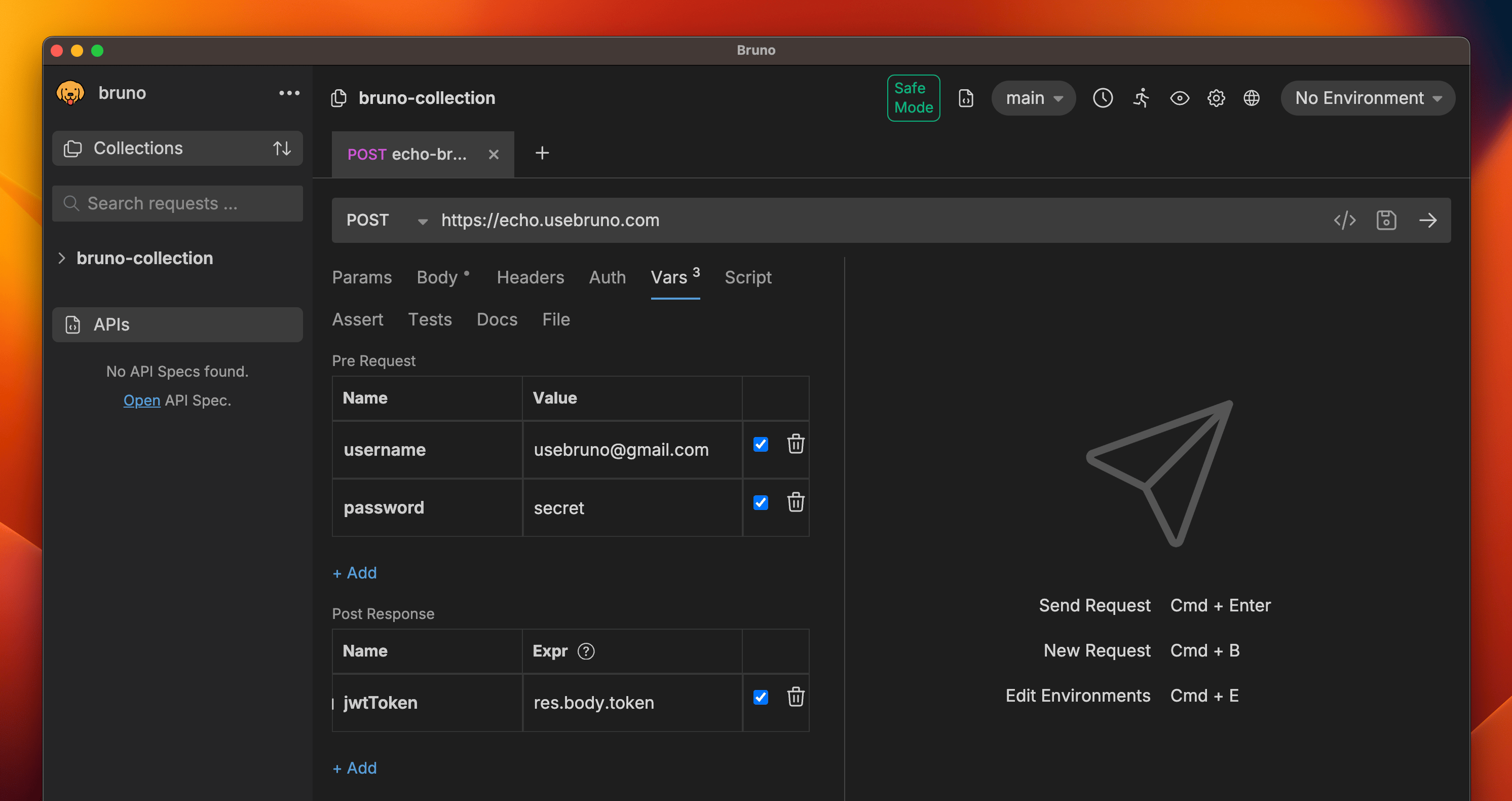
In the **Vars** tab > **Pre Request** variables section, you can write any strings, numbers or any valid JavaScript literal.
Example:
 ## Post Response Vars
In the **Vars** tab > **Post Response** variables section, you can write any valid JavaScript expression. The `res` object is available, allowing you to declaratively parse the [response object](/testing/script/response/response-object) and set variables, instead of writing scripts to do the same.
Example:
## Post Response Vars
In the **Vars** tab > **Post Response** variables section, you can write any valid JavaScript expression. The `res` object is available, allowing you to declaratively parse the [response object](/testing/script/response/response-object) and set variables, instead of writing scripts to do the same.
Example:
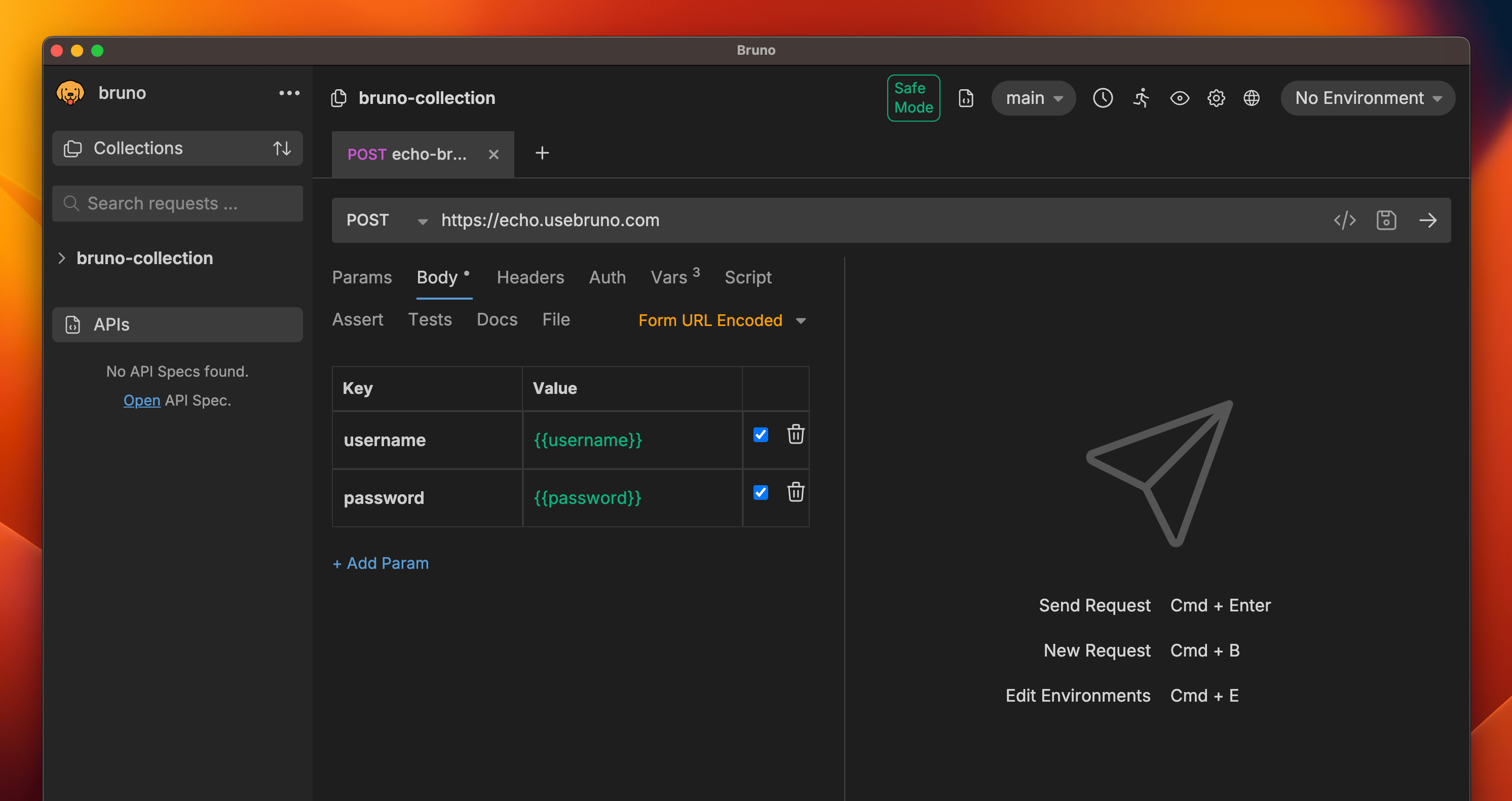 For parsing the response, you can checkout the [response query](/testing/script/response/response-query) that allows you to easily query your response.