> ## Documentation Index
> Fetch the complete documentation index at: https://bruno-a6972042-mintlify-066affab.mintlify.site/llms.txt
> Use this file to discover all available pages before exploring further.
# Process Environment Variables
## Overview
Process environment variables are used to store sensitive information, such as API keys, passwords, and other secret values. These values are typically stored in a .env file. For more details on secret management, refer to the [secret management](/secrets-management/dotenv-file) section.
### Creating a Process Environment Variables
To create process environment variables, you can add a .env file to the root of your Bruno collection. This file will store your secrets, which can then be accessed throughout the collection.
#### Example
In your Bruno collection, the structure might look like this:
In the `.env` file, you would store a key-value pair, like this:
```bash showLineNumbers filename=".env" theme={null}
authkey = anc123
```
### Using the Process Environment Variables
To access the values stored in the `.env` file, you can use the `process.env` global object. For example, if you want to retrieve the key value from your `.env` file, you would use:
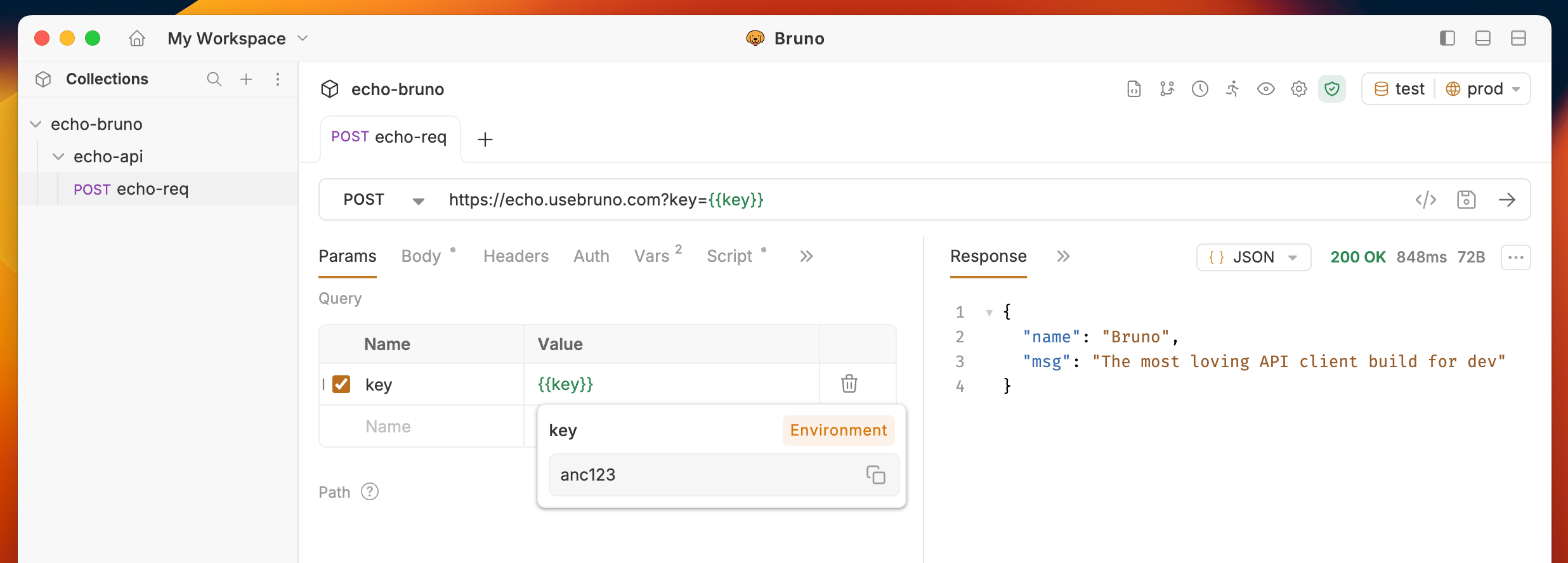
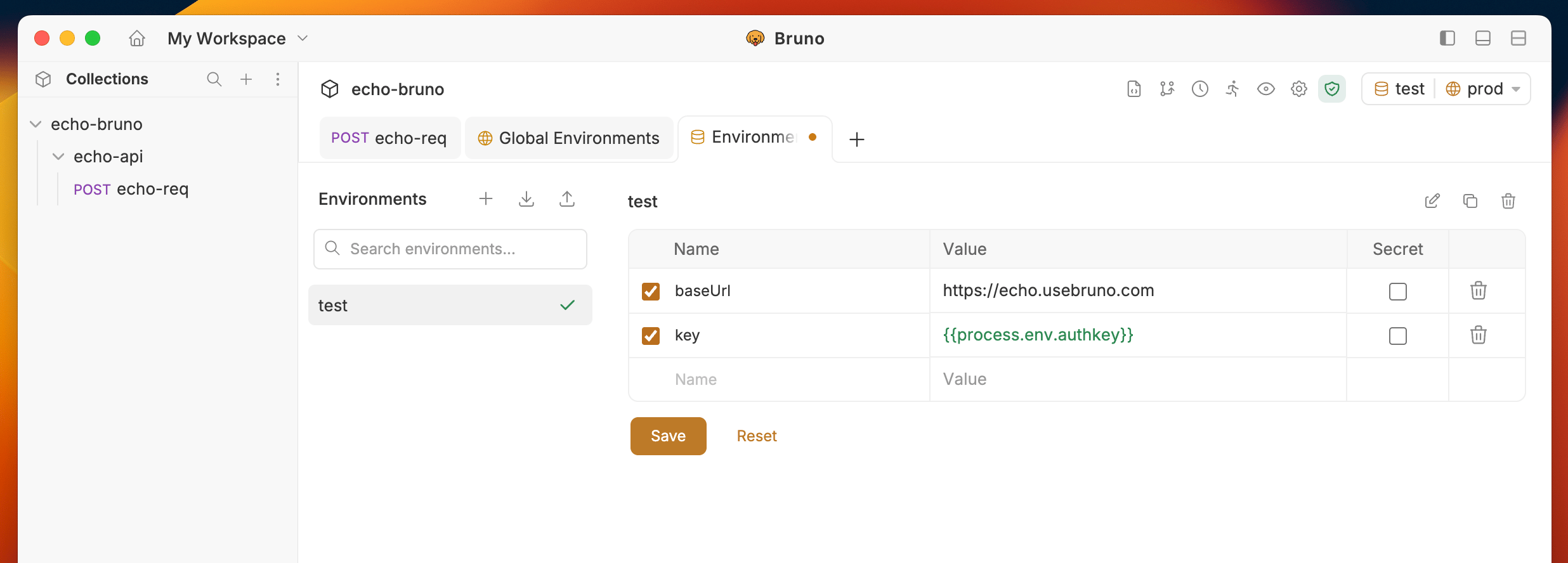 You can use `process.env.` throughout your Bruno collection to securely manage and access your environment variables.
 Starting from Bruno **v3.1.0**, you can create and manage `.env` files directly inside Bruno at workspace level. Check the [Secret Management - Dotenv File](/secrets-management/dotenv-file) section for more details.